 wirelesstetherfor Mac
Every frame on your iPad, seconds after you shoot.
Your Sony sends each shot to your Mac over Wi-Fi. wirelesstether puts it on the iPad, where you tag the keepers. Those tags are waiting in Photo Mechanic when you ingest.
Apple Silicon, 128 MB. Intel, 134 MB. Version 1.3.0. Free during early access.
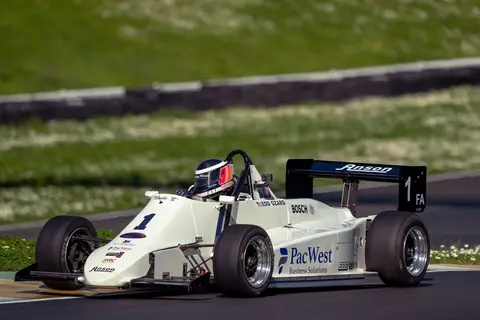 DSC04812
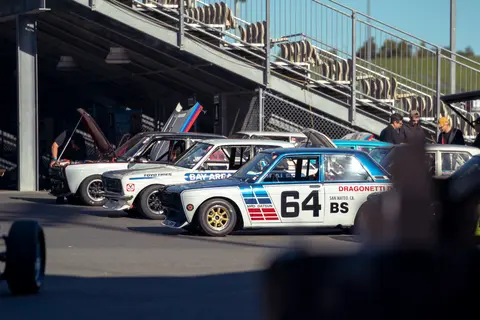 DSC04811
 DSC04807★★★★
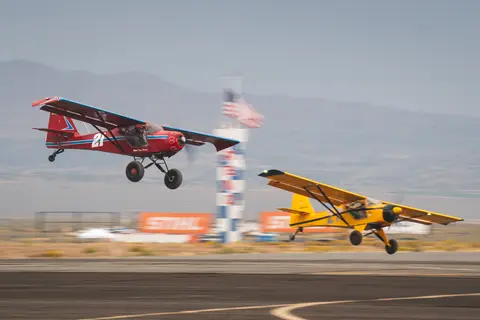 DSC04798★★
 DSC04790★★★★★
 DSC04786
 DSC04781
 DSC04777
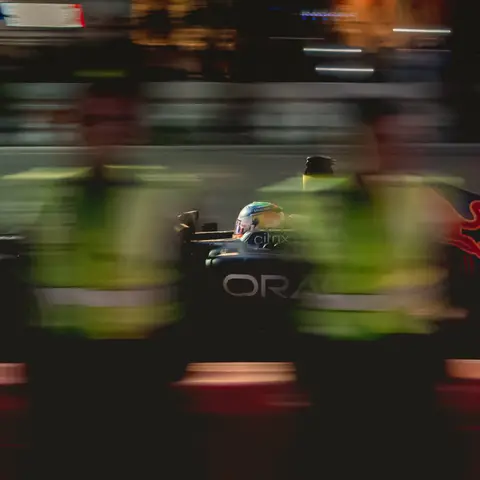 DSC04772



From shutter to selects, without a cable.
Sony α1
Sends each JPEG over FTP the moment you press the shutter.
Your Mac
Receives every frame and builds previews in about a second.
iPad
Shows a live gallery in Safari. Tag, rate and zoom to 100%.
Photo Mechanic
Your selects are already tagged when you ingest the card.
Tag on set. Your selects are waiting at ingest.
Swipe through frames as they land. Press T or tap Tag for the keepers, and give stars if you rate. After the shoot, point wirelesstether at your Photo Mechanic ingest folder. It writes a sidecar next to each RAW, so the Tagged filter shows exactly what you picked.
Captions, keywords and colour classes you already added in Photo Mechanic are left alone.
Watching in Photo Mechanic while you shoot? Picks made on the iPad show up on the incoming JPEGs as you make them.
- DSC04790.ARWDSC04790.xmpTagged, 5 stars
- DSC04798.ARWDSC04798.xmp2 stars
- DSC04803.ARWnot selected
- DSC04807.ARWDSC04807.xmpTagged, 4 stars
- Host Name
- 192.168.1.20
- Port
- 2121
- User
- sony
- Password
- 7f3a91c2
- Passive Mode
- On
- Auto FTP Transfer
- On
- RAW+J/H Transfer Target
- JPEG
The camera menu, already filled in.
FTP setup on a Sony is buried four menus deep. wirelesstether shows the exact menu path and every value to enter, with your Mac’s address and password already in place. Scan the code with your iPad and the gallery opens.
If the camera can’t log in, the app tells you why, right in the status bar.
Hand the client an iPad, not your laptop.
Client view fills the screen with the latest frame and follows along as you shoot. They can tag and star their favourites right there, and you see their picks on your screen as they make them. Camera settings and the Photo Mechanic export stay with you.
 DSC04768
Made for working shoots.
- No internet needed
- Everything stays on your own Wi-Fi. Works in a stadium tunnel or a field with a travel router.
- RAWs stay on the card
- Shoot RAW+JPEG. The JPEG goes over the air, the RAW waits on the card for your normal ingest.
- Exposure on every frame
- Shutter, aperture, ISO and focal length show with each image, so you can catch a wrong setting early.
- More than one iPad
- You, your assistant and the art director can all tag at once. Every screen stays in sync.
- The Mac stays awake
- While wirelesstether is open, your Mac won’t sleep and drop the camera mid-shoot.
- Your photos stay yours
- No account, no upload, no cloud. Images go from your camera to your own machines and nowhere else.
Set up in five minutes.
Needs macOS 12 Monterey or later, a Sony camera with FTP Transfer, and an iPad or any phone with a browser, all on the same Wi-Fi.
- 1
Download and open the zip
Double-click it, then drag wirelesstether onto Applications.
- 2
Open it and scan the QR code with your iPad
The gallery opens in Safari. Add it to the Home Screen for full screen.
- 3
Enter the settings it shows on your camera
Host, port, user and password, filled in for this Mac. You only do this once.
Questions
Which cameras does it work with?
It’s built for the Sony α1. Other Sony bodies with the FTP Transfer function use the same settings: FTP server, passive mode, and auto transfer.
Do I need internet on location?
No. The camera, Mac and iPad only need to be on the same Wi-Fi network. A small travel router works well, and nothing is sent to the cloud.
Does the iPad need an app?
No. The gallery runs in Safari. Scan the QR code shown in wirelesstether, then use Share › Add to Home Screen for a full-screen icon.
How do tags get into Photo Mechanic?
After you ingest the card, choose Send to Photo Mechanic and pick the ingest folder. wirelesstether writes an XMP sidecar next to each matching RAW with the Tag and star rating. Existing captions, keywords and colour classes are kept.
Can Photo Mechanic show the picks during the shoot?
Yes. Open the wirelesstether folder as a contact sheet in Photo Mechanic, or use Live Ingest. Every tag and star from the iPad is written into the JPEG within half a second, and the picture itself is not changed. If you use Live Ingest, set its destination under Settings › Photo Mechanic so the copies are updated too.
Can I use the ratings in Lightroom?
Star ratings are written to the standard XMP rating field, which Lightroom and Bridge also read from sidecar files.
Why does macOS ask me to confirm the first time I open it?
wirelesstether isn’t distributed through the App Store, so macOS asks once. On macOS 15 or later, open it, click Done, then go to System Settings › Privacy & Security and click Open Anyway. On earlier versions, right-click the app and choose Open.
Which download do I need?
Choose Apple Silicon for any Mac with an M-series chip, and Intel for older Macs. To check, open the Apple menu › About This Mac and look at Chip or Processor.
Bring it to your next shoot.
Free during early access. Pick the version for your Mac. Not sure which? Apple menu › About This Mac shows Chip for Apple Silicon or Processor for Intel.